
Natural-language matching
The matching brief describes a situation rather than a list of exact words.
Reddit post monitoring
Describe the kind of discussion you want to find. ReplySignal monitors selected subreddits, scores new posts against that description, and shows the matches with their original source. Reply drafts are optional.
Start from a product website or write the matching brief yourself. Confirm the text, review suggested subreddits, and add or remove communities before monitoring begins.
The matching brief describes a situation rather than a list of exact words.
Results link back to the original Reddit post in a community you selected.
Drafts are optional, editable, and never posted automatically.
A product page can suggest editable details. Manual setup needs only a description of the posts to find.
Review suggestions and add or remove communities before the monitor starts.
See matching posts, their source, and a score. Open the original thread to judge the context.
Enable drafts with product information, then review and publish any reply yourself.
A useful monitor has a clear brief and a deliberate community selection. Start with one situation you can act on, then review the posts it finds before broadening the scope.
For an inventory product, describe store owners struggling with stockouts or replenishment. A brief about a recurring problem can find relevant posts even when nobody mentions your product.
Review suggested communities and read their recent posts and rules. Keep communities where the intended audience asks for help; remove communities dominated by announcements or unrelated discussion.
Use the match score to decide which posts to inspect. Open the original discussion to check its context, whether the question still needs an answer, and whether participating is appropriate.
Inside the product
Write the audience and problem in plain language, choose communities, and review matched posts in their original threads. This walkthrough uses a fictional inventory SaaS to make each decision concrete.
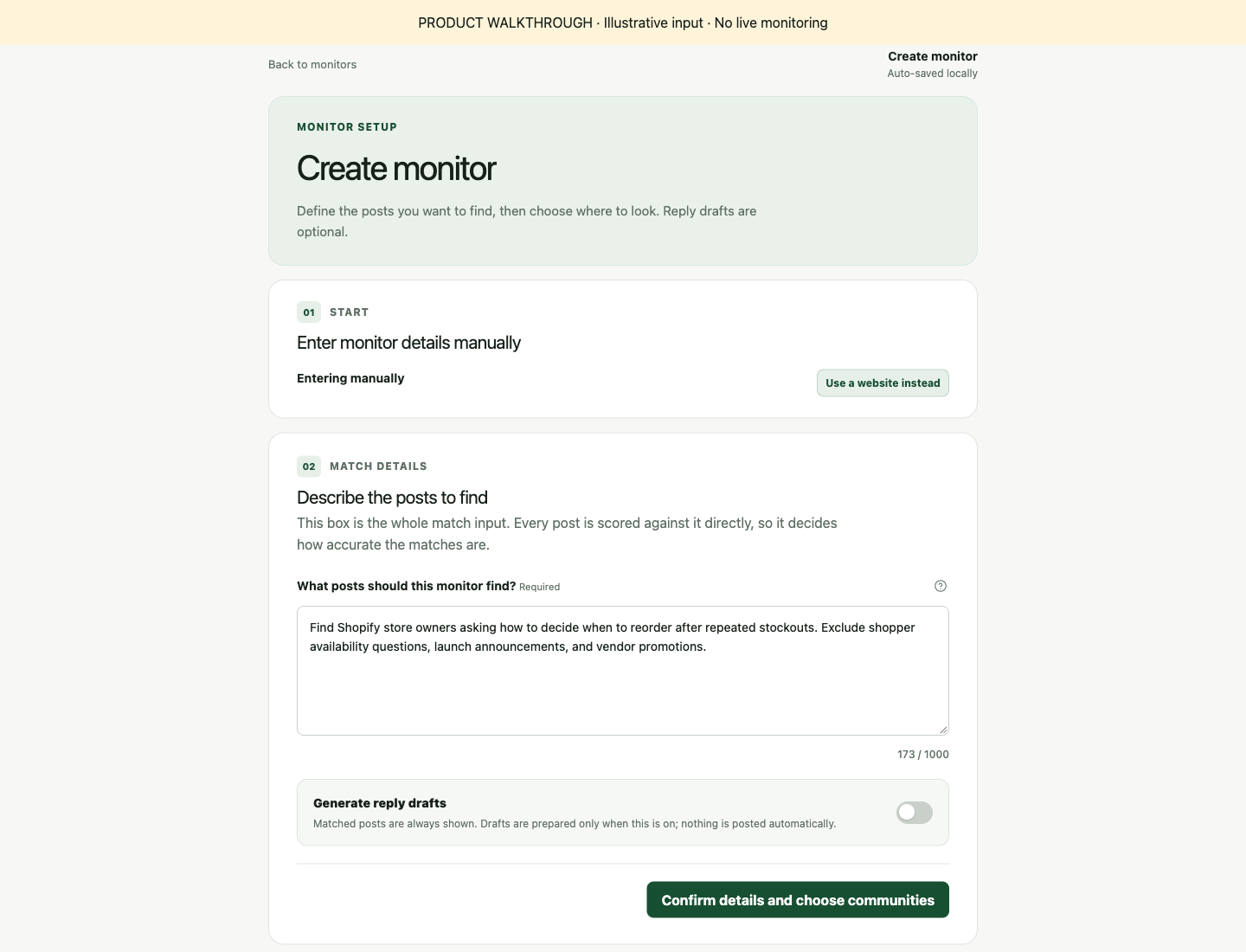
Public Reddit posts in the subreddits selected for each monitor. It does not promise complete Reddit coverage or analyze individual comments.
No. The score indicates the model result. Read the original post to decide whether the discussion is useful.
Yes. You can add or remove subreddits when editing a monitor.
No. This workflow monitors new posts in the communities selected for a monitor. It does not promise a complete historical archive or coverage of every Reddit post.
Yes. A manual monitor needs a matching brief. Product details are required only when you choose to enable reply drafts.
Follow the ReplySignal setup with an illustrative inventory SaaS: write a matching brief, select subreddits, qualify posts, and review a reply before publishing.
Choose Reddit communities based on your SaaS audience, recurring problems, recent discussion quality, and participation rules rather than member count.
Review the first matches, refine the monitor, and choose whether reply drafts would help.